Showing posts with label in. Show all posts
Showing posts with label in. Show all posts
Tuesday, March 3, 2015
Was The DNA of a 21st Century Educator Plagiarised in China
Source
This Article in other formats:
- Scribd
- SlideShare
DISCOVERY
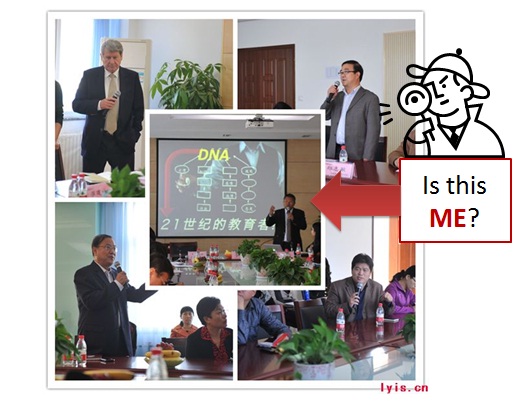
The last time I looked in a mirror, I certainly didnt look like that! However, the DNA slide looks familiar. Oops, it looks like a slide from my DNA of a 21st Century Educator (Version 2) presentation. Awesome! Someone in China has translated my slide, and is sharing it with a group of local and international educators attending a conference (or seminar) exploring the future of education at the Luoyang International School (17 Oct, 2012). Here is another picture that reveals a bit more about this event: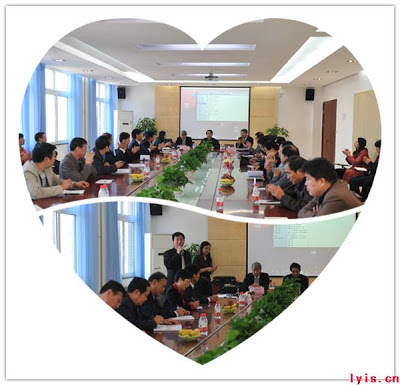
Source
So, whats the problem here?
THE STORY
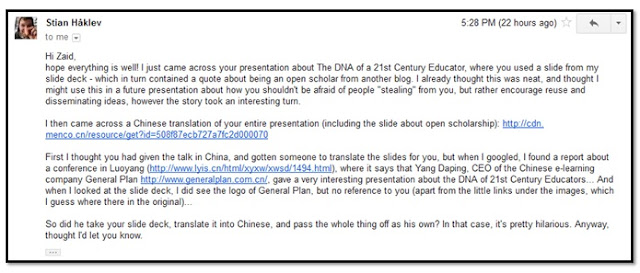
Yesterday evening (9 Jan, 2013), I got an e-mail from my Norwegian (online) buddy Stian Håklev (Co-founder of Peer2Peer University) informing me...
Important Links:
- Chinese Translation of my presentation
- Report about the conference (Luoyang International School)
- Company: General Plan
(Should the links above be deleted for some reason, please click here to view the presentation and report saved to Dropbox)
WOW! Thanks, Stian for sharing this Pretty Hilarious news with a CSI kind of reporting of the event. Initially, I thought this whole thing was really cool, and I was kind of thrilled that someone would actually go to such lengths to reuse and translate slides that originated from me (WOW, the slides must be really good!).
I have heard and read that translated plagiarism is a BIG BIG BIG PROBLEM in China, but not in my wildest dreams did I anticipate it would happen to me. Certainly, not like this.
Lets break down the case.
THE CASE
I first gave the DNA of a 21st Century Educator talk during the Annual Teaching and Learning Seminar 2012" at USM on the 26 June, 2012. However, the slides that have been reused and translated are from the second version, which was published 19 July (2012) on SlidesShare. Here is my original version:
Since, the Chinese version was presented on the 17 October (2012), we can presume based on existing evidence that I am more likely the author.
DNA of a 21st Century Educator (v2) from Zaid Alsagoff
Since, the Chinese version was presented on the 17 October (2012), we can presume based on existing evidence that I am more likely the author.
Also, based on the time between both these events (19 July - 17 October), Mr. Copytran (Code name for the author(s) of the Chinese version) had more than sufficient time to translate the presentation slides to Chinese.
The English version has 81 slides compared to 28 slides for the Chinese version. Interestingly, 26 (out of 28) or 92.85% of the Chinese version seems to be visually similar compared to the English version. However, we have to give credit to some critical thinking taking place here, as the 26 slides have been filtered (from 81), shuffled and organized a bit differently compared to the English version.
Moreover, unless Mr. Copytran used only Google translate (or outsourced the translation), he/she/it/they must have spent considerable time to translate these 26 slides, which I assume requires masterful language ability. Though, since my Chinese is practically zero, I would need some expert to verify this.
Also, we have to give credit to Mr. Copytran for showing amazing ability to manipulate, redesign and delete important aspects of the 26 slides that will be revealed one-by-one next.
SLIDE-BY-SLIDE
Here we go:
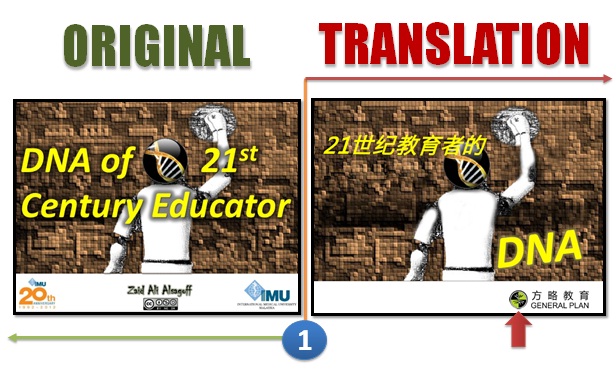
Yes, the DNA word has moved from one side to the other (Originality?). Also, the Creative Commons (CC BY-NC-SA 3.0) license has simply vanished from all 26 slides. Also, you notice that the IMU logo(s) are no longer there.
Interestingly (red arrow), the General Plan logo appears for the first time. As we explore these slides, you will notice that this logo will appear, disappear and even move during its journey over 26 slides. I assume the General Plan logo is suffering from some kind of appearance disorder (perhaps feeling guilty, or perhaps wanting to be associated with important slides and points).
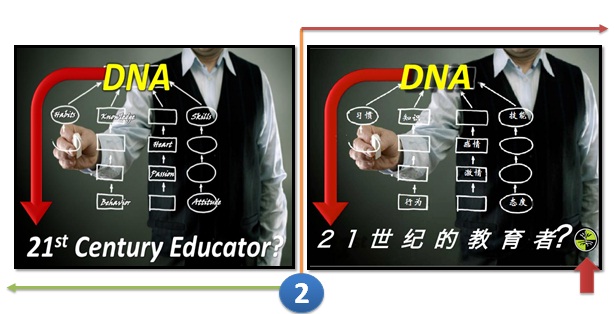
You notice the logo has repositioned itself on slide 2, as if it is the solution to the question (Say no more!). Besides the translations, not much more to say. Awesome slide, though!
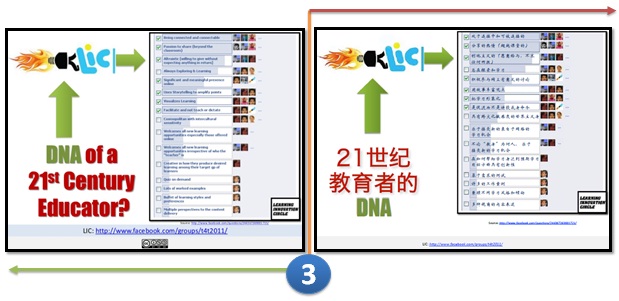
I cant believe that the LIC Facebook poll slide, identifying what (a few) members of this group think are the ingredients of a 21st Century educator was translated. Mr. Copytran please explain; "Why did you include this one?"
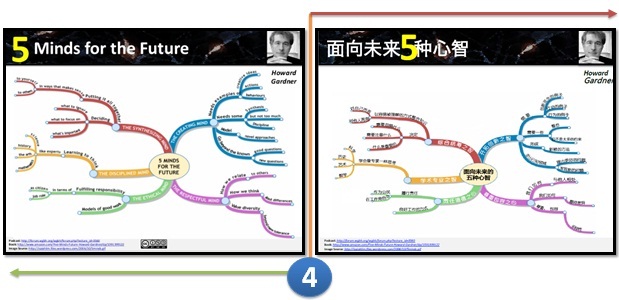
Kudos! I mean, I just reused a stunning mind map explaining Howard Gardners 5 Minds for the Future. Mr. Copytran on the other hand, must have spent considerable time translating and manipulating the image. Also, he didnt delete the links (URLs) to the relevant resources, which is good. Though, if he did, surely someone would question Mr. Copytran how he managed to visualize the mind map so nicely.
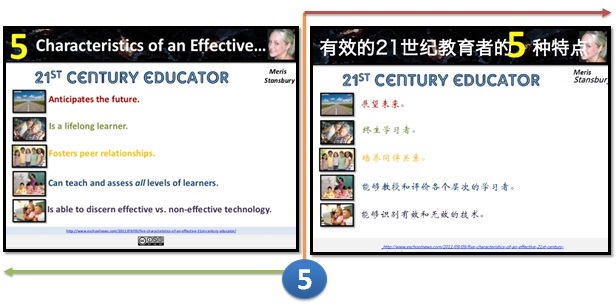
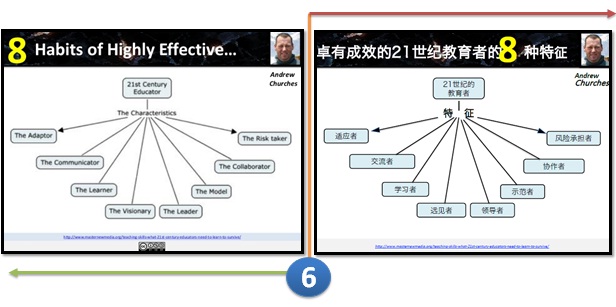
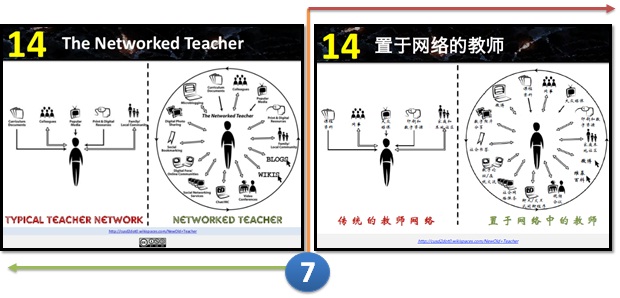
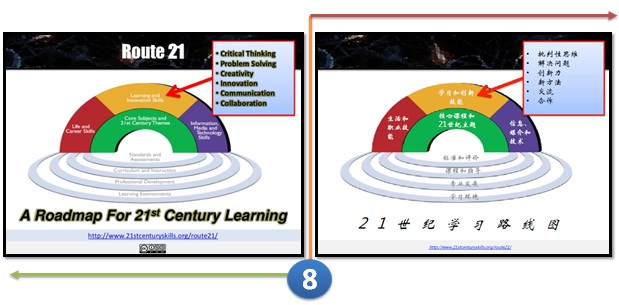
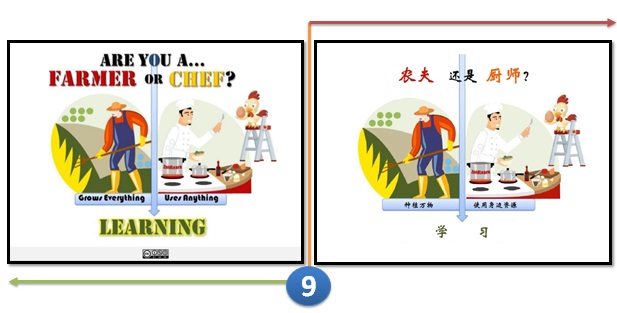
Oops, I mashed up that graphic in 2009 (Evidence) based on Lucifer Chus wise words during his Keynote at the 2nd International Conference of e-Learning hosted by UiTM (ICEL 2009). So, Mr. Copytran, how did you develop this graphic? You certainly dont have any reference links to support your case, if you didnt develop it.
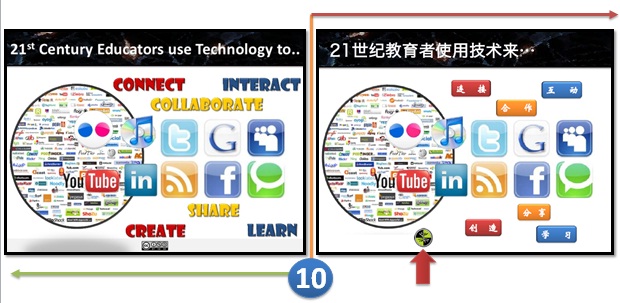
Notice that the logo has reappeared and moved strategically beyond my comprehension to a new location. No doubt, my original slide looks better, right?
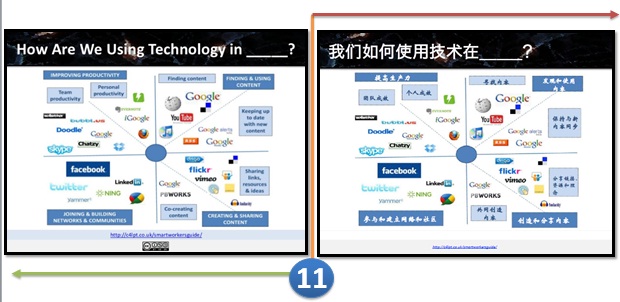
Jane Hart, congratulations for getting your slide translated!
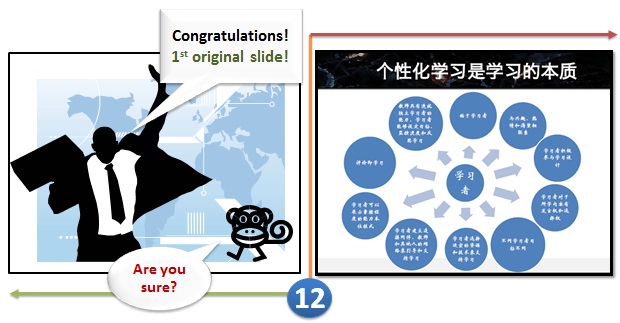
WOW! Historic moment! Could this be a break through?
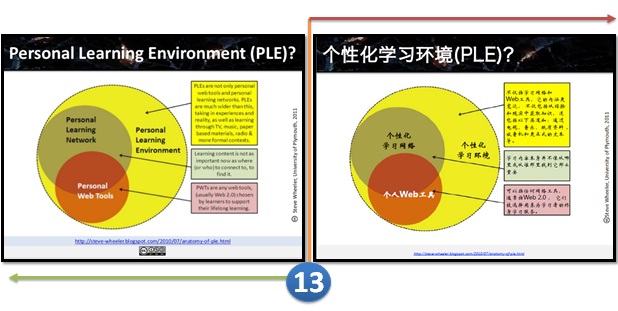
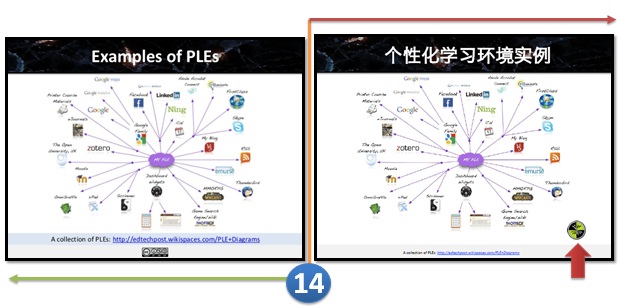
Now, the logo appears again and has amazingly moved again, too. It is as if the logo is playing a hide-and-seek game with us. Correct me if I am wrong!
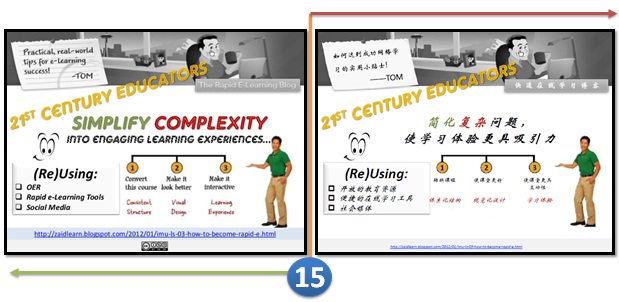
I was really happy with this mash-up of mine, and Yes Mr. Copytran does provide a link to my blog post, so thanks for the reference. It is nice to reference our own work, but even better when others reference our own reference. What do you think?
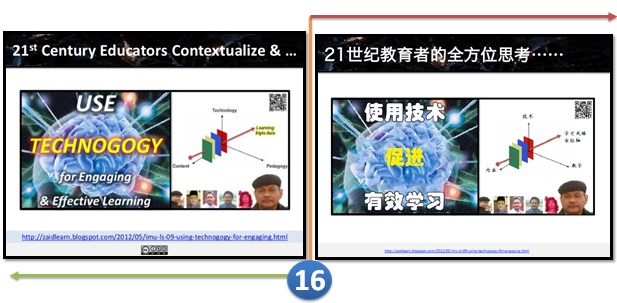
Prof. Rozhan, congrats! Now, your 3-dimensial Technogogy diagram has been translated and hopefully it will be explored further in China.
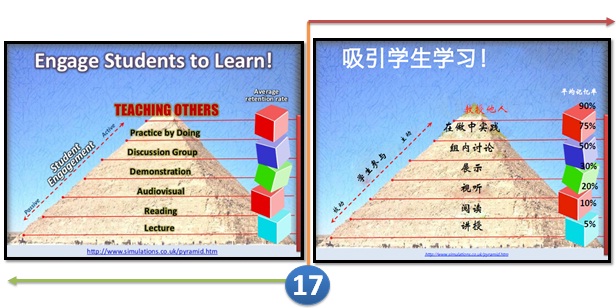
Mr. Copytran, not a bad translated copy of the original one. What software do you use to edit graphics?
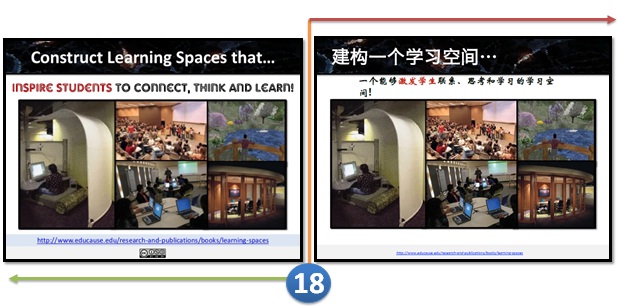
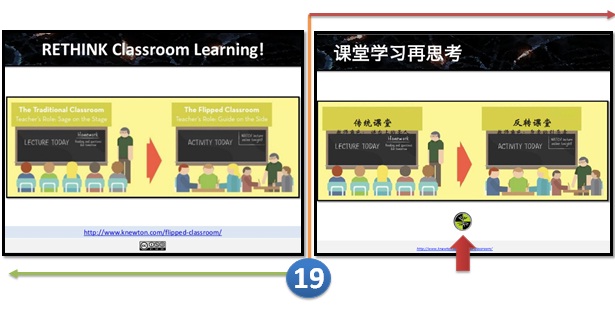
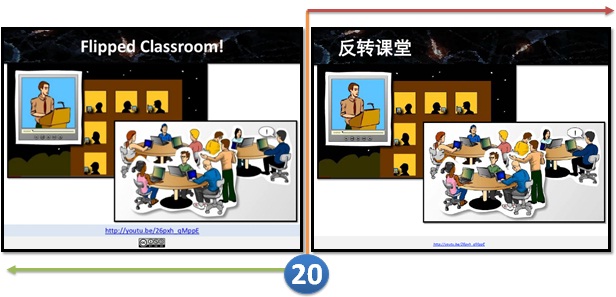
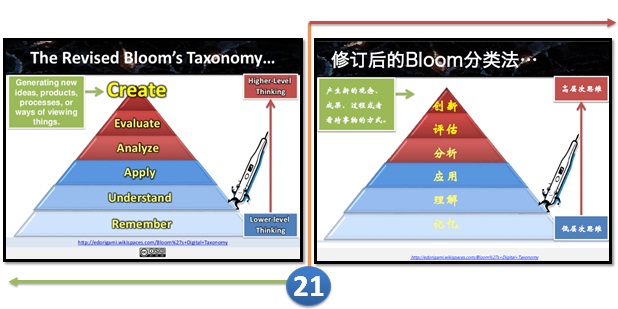
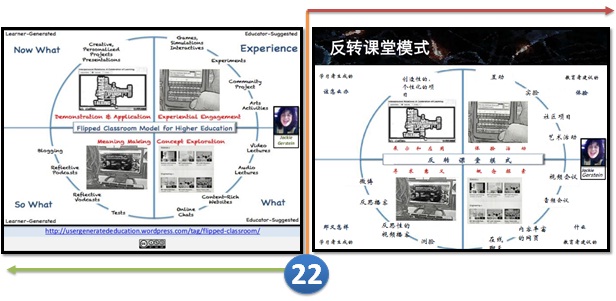
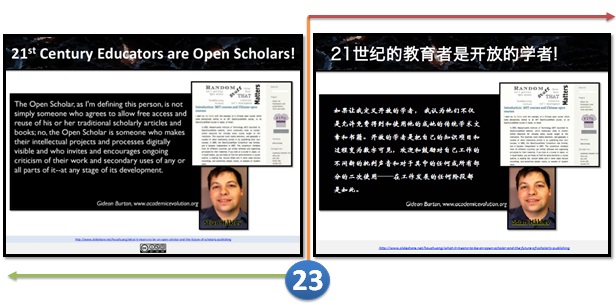
Thanks for including this slide, because this is the one that enlightened Stian Håklev to discover the rest.
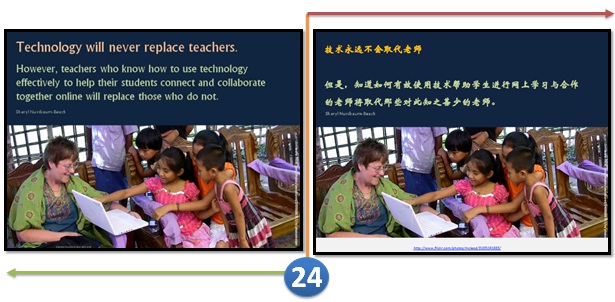
No comment!
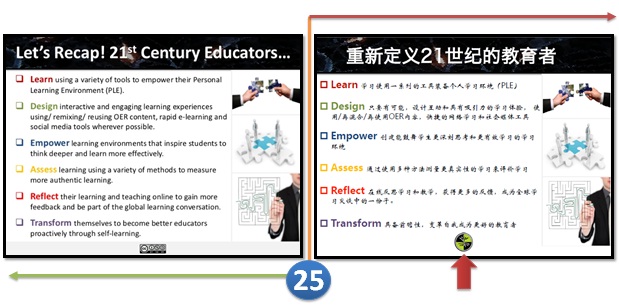
This is where I draw the line. Where is your reference to my Recap? Also, why is the logo suddenly appearing again? At least this time it appears the same place as the last time.
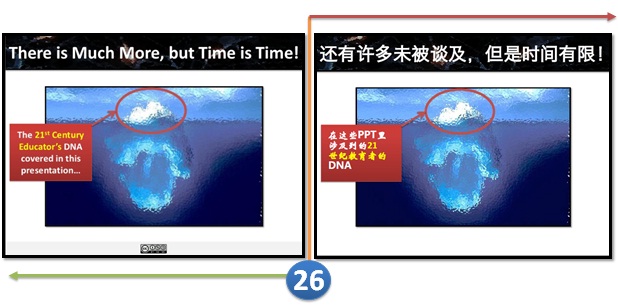
Of course there is much more, Mr. Copytran you still have another 55 potential slides (81 - 26 = 55) to translate. LOL!
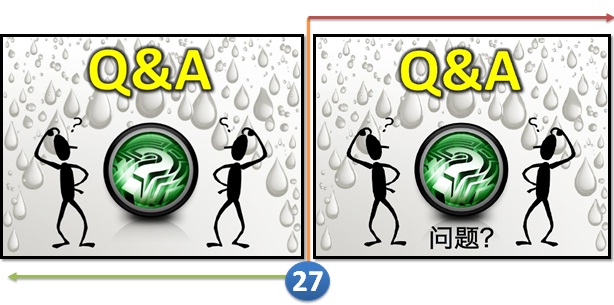
I just cant believe that you cant even create your own Q&A slide! Take a risk and use your imagination a bit. Come on! Is that too much to ask for?
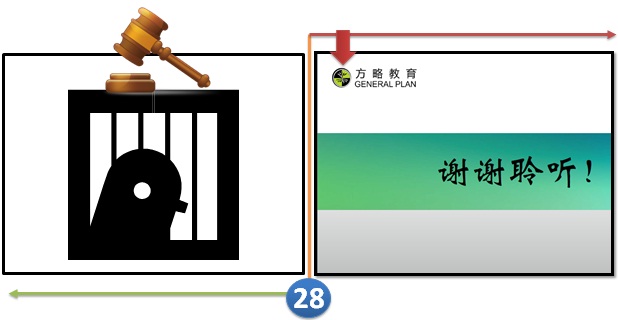
Is this a case of Plagiarism? Please share your views.
MY CASE VERDICT
Seriously, Mr. Copytran you must have spent hours translating and manipulating this presentation to meet your desired goals. We should be celebrating your effort for all your hard work? However, that might not be the case, especially if this story goes viral in a negative sense. Maybe, in your mind you didnt do anything wrong, and just maybe you had every right to do what you did.
I am actually not bothered by you reusing the 26 slides from my presentation (That is why I share!), but I am angry and irritated based on the observations shared above that you seem to have deliberately plagiarized some of my content, ideas and recommendations, without giving any form of recognition for it. Also, when I read the Google translated version of the conference report, my ego of any doubt vanished (like the CC license did in your slides).
Didnt you realize that the DNA of a 21st Century Educator (version 2) presentation has been viewed more than 31,000+ times by now? Actually, by day 3 or 4 (after publishing it on SlideShare - 19 July) it had already been viewed more than 15,000+ times (was featured as Top Presentations of the day), and cited by numerous of bloggers and educators around the world through varies social media tools (Facebook, Twitter, Google+, blog posts, etc).
More importantly, didnt you realize that this presentation has been published under a Creative Commons license (Attribution - NonCommercial - ShareAlike or CC BY-NC-SA) empowering anyone for free to reuse and remix for non-commercial reasons with attribution. Most of my learning articles, presentations and artifacts since 2008 have been published with such a license, and hundreds of educators around the world have been reusing or remixing them as they like (with attribution), and that is one major reason why I love to share.
However, when a person representing a corporate e-Learning company (General Plan) literally takes my presentation (or 26 slides from it), and presents it at a conference (translated version) without giving any credit (at least on the slides). And then has the cheekiness to put his company logo, and even delete the Creative Commons license from all the 26 slides translated, is something that I find really unacceptable.
It might be flattery (to some), but it is also totally against any principles of professionalism (that I know of).
The best way (in my opinion) to deal with people with such integrity and professionalism is to expose them to the world and remind others that doing such things are not worth the risk.
More importantly, didnt you realize that this presentation has been published under a Creative Commons license (Attribution - NonCommercial - ShareAlike or CC BY-NC-SA) empowering anyone for free to reuse and remix for non-commercial reasons with attribution. Most of my learning articles, presentations and artifacts since 2008 have been published with such a license, and hundreds of educators around the world have been reusing or remixing them as they like (with attribution), and that is one major reason why I love to share.
However, when a person representing a corporate e-Learning company (General Plan) literally takes my presentation (or 26 slides from it), and presents it at a conference (translated version) without giving any credit (at least on the slides). And then has the cheekiness to put his company logo, and even delete the Creative Commons license from all the 26 slides translated, is something that I find really unacceptable.
It might be flattery (to some), but it is also totally against any principles of professionalism (that I know of).
The best way (in my opinion) to deal with people with such integrity and professionalism is to expose them to the world and remind others that doing such things are not worth the risk.
I can go on, but then again perhaps Mr. Copytran did no wrong.
In the 21st century you can easily copy or plagiarize, but you can easily get caught, too. And you certainly cant hide online for that long! That is for sure!
Why potentially waste your career and credibility just for one presentation?
What were you thinking?

Sunday, March 1, 2015
How to Embed a Video in Smart Notebook!
Its Tuesday again, and I am shockingly writing this post before the stroke of midnight! :) The winner of this weeks poll was how to embed a video in Smart Notebook!

Heres the poll for anyone interested!


Dont you just love when theyre short and sweet?
 Note: This tutorial is hosted on Google Docs. To save it from there, just open the file and click File > Download to save onto your computer!
I do plan on adding some other Smart Notebook Tutorials in the future, but in the meantime I want to add a Microsoft Word/PowerPoint option... how to make any font into an outline!

Read more »
Heres the poll for anyone interested!
Now, onto the tutorial! If your video is not .flv, check out yesterdays tutorial to learn how to convert it!
Dont you just love when theyre short and sweet?
You can download this tutorial as a PDF by clicking this picture!
I do plan on adding some other Smart Notebook Tutorials in the future, but in the meantime I want to add a Microsoft Word/PowerPoint option... how to make any font into an outline!
Thursday, February 26, 2015
How to Make a Bunting Banner in PowerPoint!
I just knew that this option would be popular on the poll! And it was perfect timing since I was planning on making a bunting banner this week for my classroom!

More than half of you voted for this in the polls!

Now, onto the tutorial!


I am printing that bunting banner first thing tomorrow morning! I love how it looks!!!
For next weeks poll, Ill add how to use/open QR codes. I figured this would be a good prerequisite for how to make your own QR codes!
Read more »
More than half of you voted for this in the polls!
Now, onto the tutorial!
I am printing that bunting banner first thing tomorrow morning! I love how it looks!!!
You can download this tutorial as a PDF by clicking this picture!
Note: This tutorial is hosted on Google Drive. To save it from there, just open the file and click File > Download to save onto your computer!
For next weeks poll, Ill add how to use/open QR codes. I figured this would be a good prerequisite for how to make your own QR codes!
Wednesday, February 18, 2015
Microsoft Investing in Cyanogen Which Wants to Take Android from Google

Microsoft is getting ready for a newer and unexpected battle with Google. This time, Microsoft plans to take on Android by investing in Cyanogen.
Cyanogen is a startup which makes and maintains its own version of Android. Cyanogen is currently being used in the OnePlus One, the flagship killer, a smartphone which has garnered rave reviews last year.
The Wall Street Journal reports that Microsoft is investing $70 million in Cyanogen which is best known for its customized version of Android. Cyanogen has reportedly raised $100 million to date. This should be noted that Cyanogen recently refused an offer from Google and hopes to live its dream of being an open version of Android alive.
WSJ writes:
“Microsoft would be a minority investor in a roughly $70 million round of equity financing that values Cyanogen in the high hundreds of millions.”
What could be Microsoft’s intentions?

This is important and unusual because Microsoft is owner of its very own Windows Phone operating system and is gearing up for the upcoming launch of Windows 10 for mobile devices. This move of Microsoft can be attributed to its commitment to embrace open source and maybe some mischief.
Cyanogen claims to have a team of 9,000 volunteer software developers. Cyanogen’s Chief Executive Kirt McMaster told WSJ last week:
“We’re going to take Android away from Google.”

Buy OnePlus One – The Flagship Killer here: OnePlus One (64GB, Sandstone Black)- Invite Only

Apart from different versions of Android for the smartphone makers, Google also releases the Android core under an open-source license. This version is free for everybody and anyone can use and modify or fork this core without linking the Google services. The best examples are Amazon’s products which run on forked Android. These independent versions are already very popular in China where Google has struggled to leave its mark.
These types of Android versions, which are not under Google’s control, are a problem for Google because not every forked version promotes and uses Google’s services and hence, Google makes no money. Due to this Microsoft’s investment in Cyanogen, it will be harder for Google to bring all version of Android under its control.
Microsoft and Cyanogen, both have declined to comment. By investing in Cyanogen, Microsoft can get more users and claim a bigger share of the mobile market. Under the new CEO Satya Nadella, Microsoft has shown such commitments to open source in the past.
Monday, February 16, 2015
Drill down from one dashboard to another dashboard custom parameter example in pentaho CDE
This post teach you how to drill down from one dashboard to another dashboard by passing parameters.
Example developed on :
1) BA server - 4.8 version
2) C-Tools 13.09 version
3) Web browser : Mozilla firefox(Always preferable for pentaho C-Tools)
4) Database : foodmart (postgreSQL - jasper server default db).
Before learning this post I suggest you to have a glance at the previous post on the same drill down with out any parameters concept.
http://pentaho-bi-suite.blogspot.in/2013/11/drill-down-from-one-dashboard-to.html
Aim of the concept :
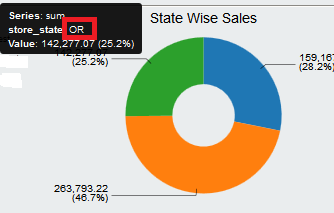
1) Click on state slice in dashboard 1
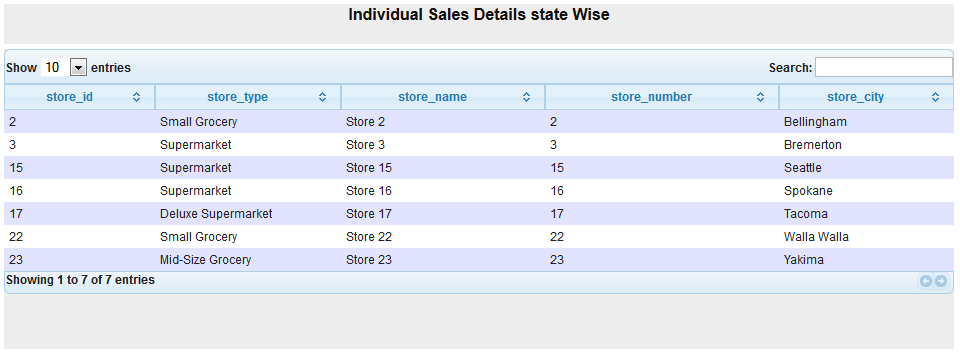
2) As soon as you click on particular state slice, you will be navigating to another dashboard displaying all the details of that state in another dashboard in the form a table.
i.e, Drill down from Pie Chart to Tabular display of data by passing parameter.
Dashboard 1 :
Create your chart(s) as shown in below figure you
1) Create a Simple parameter lets say param_custom_state ( No need of giving any default value )
2) Go to chart component properties
-> Give the data source(query created in data source section) that will fit for the above chart .
-> Give the above created parameter for "Listeners" as well for "Parameters".
3) In the clickAction write below code
function sendParameter(scene){
var url=http://localhost:8085/pentaho/content/pentaho-cdf-dd/Render?solution=CDEExploring&path=%2FTest&file=test_dev_drill.wcdf;
var vars = scene.vars;
var c = vars.category.value;
var v = vars.value.value;
alert("category: " + c + "
value: " + v);
value: " + v);
window.location=url+¶m_custom_state=+c;
}
NOTE : also look at this thread for URL passing.
http://forums.pentaho.com/showthread.php?165490-Need-help-with-dashboard-drill-down-url
NOTE :
1) URL = 2nd dashboard URL
2) url+parameter(which you are passing)
3) On pie chart, slice will take the category value( here the category value is "state" and represented by c)
4) This "state" will be the custom parameter for the 2nd dashboard.
5) Give alert function whether the code is working fine or not (This is a testing methodology).
6) Note that drill down code slightly vary for other charts in pentaho CDE bz of protovis scripting changes as well as per new things in CCC2.(i.e., For bar chart drill down the given code may be differ from the code written here).
6) Note that drill down code slightly vary for other charts in pentaho CDE bz of protovis scripting changes as well as per new things in CCC2.(i.e., For bar chart drill down the given code may be differ from the code written here).
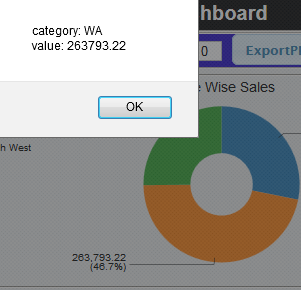
5) Save the dashboard and see the preview.. Once you click on slice itll alert saying that the selected state along with the value and then you can see the drill down to another dashboard.
Dashboard 2:
NOTE that you have to create 2nd dashboard separately and have to know how to get the URL of it.(Open In New Window)
Create a table component and suitable query for it where your query for the tabular display should take the input parameter "state" which is your custom parameter and on the table component give it as parameter also.
For instance : in where clause of your query .
where
s.store_state like ${param_custom_state}
1) Go to "Generic" section and click on custom parameter
2) Give the name for it (it is not mandatory to give the same name but preferable to give the same parameter name that you are receiving from 1st dashboard).
3) In the Java script code write below code
param_custom_state = Dashboards.getQueryParameter("param_custom_state");
Once you click on WA state in the above image , you will navigate to another dashboard which displays that particular state details. Sample image is shown below.
This is the way how you can work custom parameter for drill down functionality.
For tricks and tips navigate through my blog post and discover some thing interest in pentaho..
Add your inputs and improvements in comments :)
Same topic discussed in below posts :
1) http://pentaho-bi-suite.blogspot.in/2013/11/drill-down-from-one-dashboard-to.html
2) http://pentaho-bi-suite.blogspot.in/2013/12/pentaho-cde-dashboard-complete-example.html
Same topic discussed in below posts :
1) http://pentaho-bi-suite.blogspot.in/2013/11/drill-down-from-one-dashboard-to.html
2) http://pentaho-bi-suite.blogspot.in/2013/12/pentaho-cde-dashboard-complete-example.html
Subscribe to:
Posts (Atom)