Showing posts with label 4. Show all posts
Showing posts with label 4. Show all posts
Wednesday, February 18, 2015
Remove Watermark from WowSlider 4 8

Hello Users my name is HarryBest and today im telling you the way to remove watermark from wowslider very easily. You can also remove the watermark from wowslider by just follow these steps:
Step 1: Install your WowSlider 4.8 software from here: Download
Step 2: After installing WowSlider create you project and publish it
Step 3: Copy the crack and paste it into "engine1 folder" which is in your publish project folder.
Download Crack: Link 1 ; Link 2
Step 4: The Last one Step is Copy your real images and paste them into your
"your publish project folder/data1/images"
For example
"your publish project folder/data1/images"
For example
This is real image
.png)
This is your image in your publish project folder

Watch Video tutorial

Tuesday, February 17, 2015
The Top 4 Websites to Create Android Apps Online for Free

In this article I am sharing the 4 best websites that allows the facility to create genuine android apps without any programming knowledge. You can create your own app online using your browser for absolutely free. There is no need of any android development tool.
Also Read: Top 5 Cheapest Android Tablets below Rs. 5000 in India in 2013
Also Read: 4 Best Tips to Clean Your Touch Screen Device
AppsGeyser
AppsGeyser comes at first in this list. It is free web platform that allows you to create android app in easy steps. There is no need to code or even know how it works.
Andromo
With Andromo, anyone can make a professional android app. There is no programming required. Andromo generates 100% genuine android apps. They are faster, more efficient, better looking and more reliable than apps made with any other app development tool.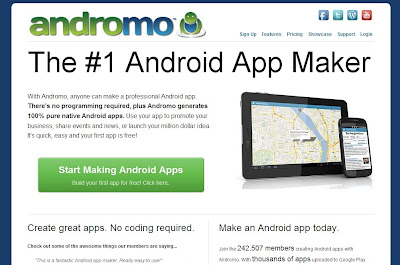
App.Yet
Using App.Yet, you can easily create a professional Android app. It is simple, easy and reliable. It will only take few minutes to build your own app.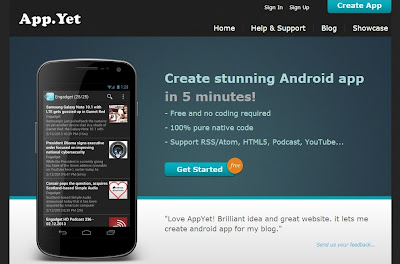
Also Read: C4droid: Download Free C/C++ Compiler for Android Platform
Also Read: Top 8 Free Alternatives to Paid Softwares
App Maker
It allows you to create your own android apps for free with easy-to-use builder. You can create your own applications online with your web browser. No special android development SDK software is required.
I have created this list on my own knowledge and by doing research on the internet. There are lots of other websites better then these. So try them, build your app and share your experience.
Source: http://www.shoutmeloud.com/5-sites-to-create-your-own-android-apps-for-free.html
Monday, February 16, 2015
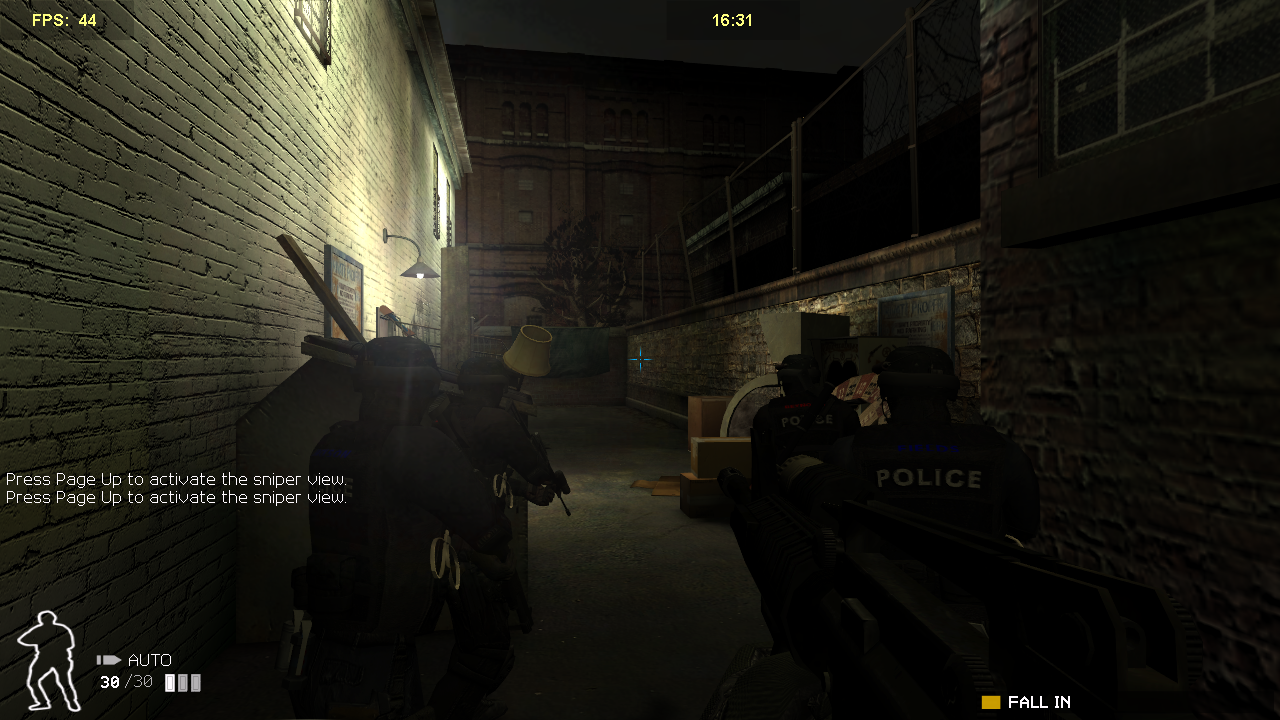
SWAT 4 PC game full version
-cover.jpg)
Special Weapons and Tactics units are the high end of the badass scale when it comes to the police force. As the title of the group implies, theyre the special forces of the police, deployed in hostile situations where regular police tactics simply wont work. Theyre highly trained in close combat and non-lethal submission of armed subjects. They have the weapons to kill, but prefer less lethal tactics to avoid unnecessary death of suspects or civilians stuck in the middle. SWAT teams often enter unfamiliar territory without confirmation of enemy numbers or armament, making for extremely dangerous situations. Irrationals new addition to the venerable SWAT franchise does a brilliant job of picking up on all of the things that make SWAT work so exciting from the outside perspective. Theyve created some amazing levels that force team tactics along a super fun multiplayer experience for a few reasons. Friendly AI can be a problem from time to time in the single player game, but this is definitely one tactical shooter that I wont hesitate to recommend.
Graphically, SWAT 4 is very good. It can almost hold its own with nearly any of the big shooters out there at the moment, not because of any particularly great technical achievment (it doesnt have that), but because the art team and level designers put an excessive amount of detail into all of the environments. Irrational was going for realistic "lived in" spaces and they did that perfectly. These environments are filled with all sorts of odd items that you would expect to see in each of these locations. They didnt stop with the stacked crates or simple cubicles here; these areas were brought to life with extra bits of paper, trash, food, puddles, lamps, construction materials, furniture... you name it. It may seem like stuff youve seen before, but youve never seen it such a large variety of objects in such quantities.
There are some less than spectacular things like clipping, mirrors that look more like monitors showing a feed rather than a true reflection, enemy models really that arent brilliant (big frog hands as Tal says), and animations that miss their targets, but overall, this is a great visual look. Many of the environments are creepy and dark which help build tension as well. All these things not only massage the eyes with kindness but also help create more exciting gameplay. When you walk into a room that seems to have a real purpose (outside of providing an interesting game environment) things get really tense. Cans and chairs begin to look like heads and bodies, office cubicles are just tall enough so you cant see around them and create a ton of hidden nooks and corners, and doorways sprout in all directions. Extra care has to be taken to cover all vulnerable angles. Frankly, I cant imagine actually going into areas like this in real life with no more information than a map scrawled on a napkin and a "there are at least five heavily armed terrorists inside" without actually crapping myself. Read more
System requirements:
MINIMUM PC REQUIREMENTS
Windows 98SE/2000/XP
Intel Pentium III 1GHz or Intel Celeron 1.2GHz or AMD Athlon 1.2GHz Processor
256MB RAM
2GB Hard Disk Space
DirectX compatible Sound Card
nVidia GeForce 2 GTS or ATi Radeon 8500 Class Video Card
MULTIPLAYER SYSTEM REQUIREMENTS
56Kbps 32-bit Internet Connection
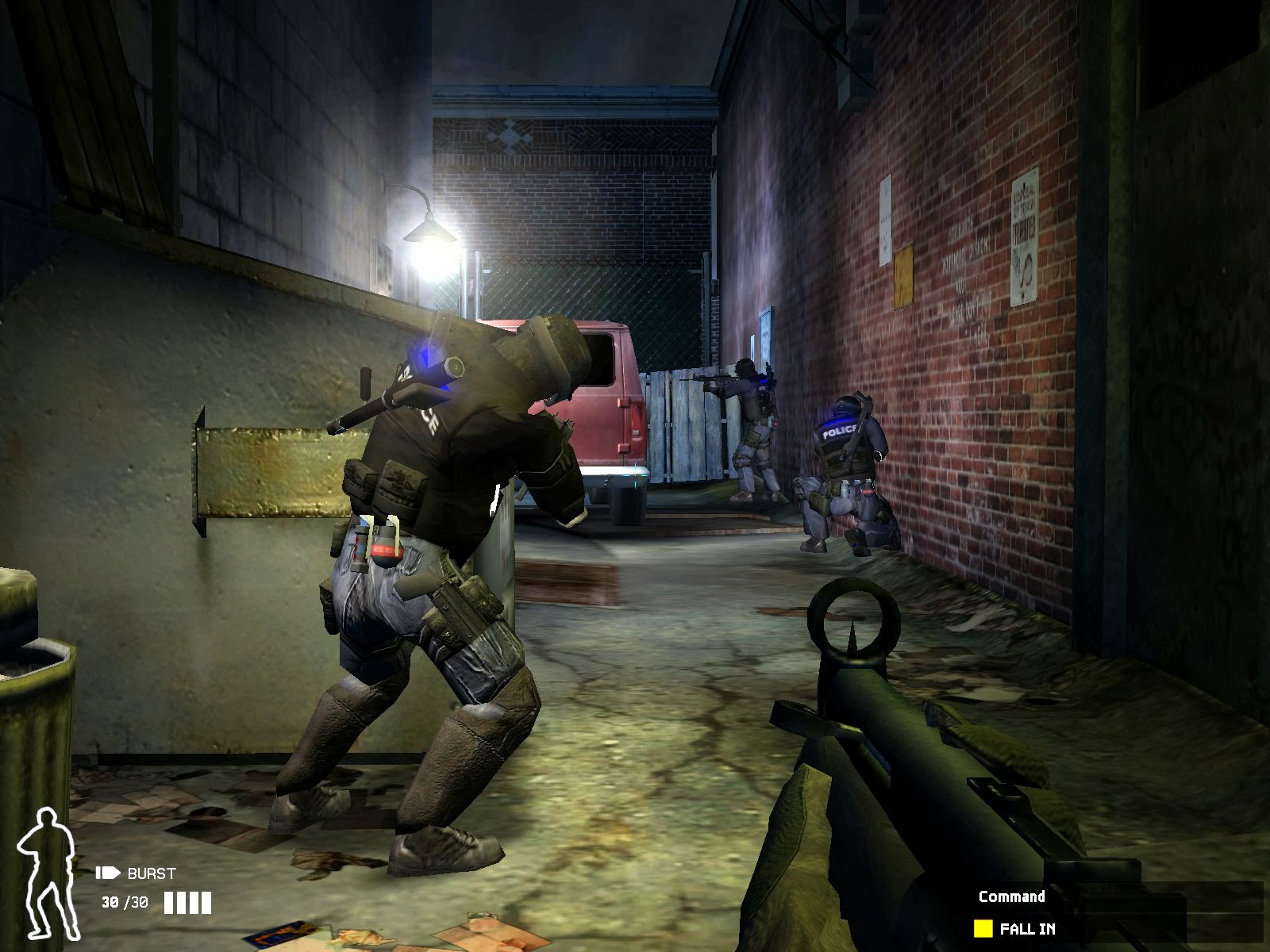
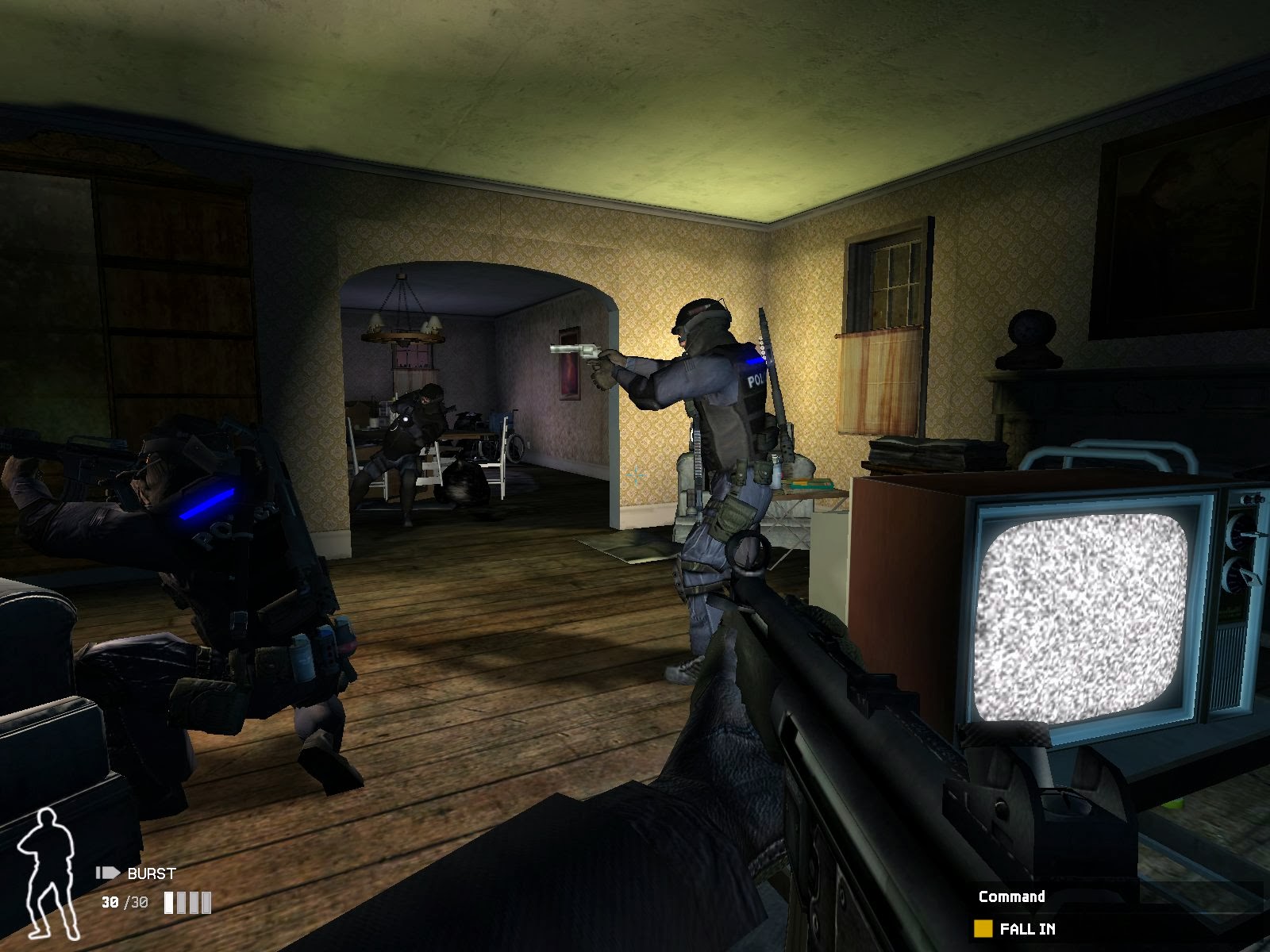
Screen Shots: Click on the image to view large screen
 |  |  |
I hope you like it......!
Sunday, January 25, 2015
KirSQLite Flex AIR Database Manager Part 4
In this part well add the ability to open databases that are stored on the hard drive.
Firstly go to the windowMenu XML and set the id for the "Open" XML menuitem to "newdb":
Now in the menuSelect() function add a new line that responds to the users selection of the "Open" option in the menu:
As you can see, I call an openDatabase() function.
Inside of openDatabase(), I first create a new File object and call its browseForOpen() method. I create a FileFilter object to filter database (.db) files. Then I add an Event.SELECT listener to the file:
The openSelect() function checks if the file exists. If it doesnt, throw out an Alert, saying that the file was not found.
Then check if the file is already open using notAlreadyOpen() function that Ill create later. If the file is already open, throw an alert saying "Database already opened".
If the file exists and not already opened, check if dbDatas length equals 0. If it does, open the database using the connections open() method. Add the XML node to dbData as usual. If dbDatas length is more than 0, use the connections attach() method. Everything here is similar to what happens in newDatabase()...
Full code:
Thanks for reading!
Read more »
Firstly go to the windowMenu XML and set the id for the "Open" XML menuitem to "newdb":
<fx:XML id="windowMenu">
<root>
<menuitem label="Database">
<menuitem id="newdb" label="New" key="n" controlKey="true" />
<menuitem id="opendb" label="Open" key="o" controlKey="true" />
<menuitem label="Save" key="s" controlKey="true" />
<menuitem label="Save As.." key="s" controlKey="true" shiftKey="true" />
</menuitem>
<menuitem label="Table">
<menuitem label="Add" key="t" controlKey="true" />
<menuitem label="Edit" key="e" controlKey="true" />
<menuitem label="Delete"/>
</menuitem>
</root>
</fx:XML>
Now in the menuSelect() function add a new line that responds to the users selection of the "Open" option in the menu:
private function menuSelect(evt:FlexNativeMenuEvent):void {
(evt.item.@id == "newdb")?(newDatabase()):(void);
(evt.item.@id == "opendb")?(openDatabase()):(void);
}
As you can see, I call an openDatabase() function.
Inside of openDatabase(), I first create a new File object and call its browseForOpen() method. I create a FileFilter object to filter database (.db) files. Then I add an Event.SELECT listener to the file:
var file:File = new File();
file.browseForOpen("Open database", [new FileFilter("Databases", "*.db")]);
file.addEventListener(Event.SELECT, openSelect);
The openSelect() function checks if the file exists. If it doesnt, throw out an Alert, saying that the file was not found.
Then check if the file is already open using notAlreadyOpen() function that Ill create later. If the file is already open, throw an alert saying "Database already opened".
If the file exists and not already opened, check if dbDatas length equals 0. If it does, open the database using the connections open() method. Add the XML node to dbData as usual. If dbDatas length is more than 0, use the connections attach() method. Everything here is similar to what happens in newDatabase()...
private function openDatabase():void {
var file:File = new File();
file.browseForOpen("Open database", [new FileFilter("Databases", "*.db")]);
file.addEventListener(Event.SELECT, openSelect);

function openSelect(evt:Event):void {
if (file.exists) {
if(notAlreadyOpen(file)){
var newDB:XML;
if (dbData.db.length() == 0) {
connection.open(file);
dbData = new XMLList(<root></root>);
newDB = <db/>
newDB.@label = file.name;
newDB.@numid = 1;
newDB.@isBranch = true;
newDB.@path = file.nativePath;
dbData[0].appendChild(newDB);
}else
if (dbData.db.length() > 0) {
var newnum:int = dbData.db.length() + 1;
connection.attach("db"+newnum.toString(), file);
newDB = <db/>
newDB.@label = file.name;
newDB.@numid = newnum.toString();
newDB.@isBranch = true;
newDB.@path = file.nativePath;
dbData[0].appendChild(newDB);
}}else {
Alert.show("Database already opened.", "Error");
}
}else {
Alert.show("File not found.", "Error");
}
}
}

private function notAlreadyOpen(file:File):Boolean{
var r:Boolean = true;
for (var i:int = 0; i < dbData.db.length(); i++) {
if (file.nativePath == dbData.db[i].@path) {
r = false;
}
}
return r;
}
Full code:
<?xml version="1.0" encoding="utf-8"?>
<s:WindowedApplication xmlns:fx="http://ns.adobe.com/mxml/2009"
                       xmlns:s="library://ns.adobe.com/flex/spark"
                       xmlns:mx="library://ns.adobe.com/flex/mx" showStatusBar="false">

<s:menu>
<mx:FlexNativeMenu dataProvider="{windowMenu}" showRoot="false" labelField="@label" keyEquivalentField="@key" itemClick="menuSelect(event);" />
</s:menu>

<fx:Declarations>
<fx:XML id="windowMenu">
<root>
<menuitem label="Database">
<menuitem id="newdb" label="New" key="n" controlKey="true" />
<menuitem id="opendb" label="Open" key="o" controlKey="true" />
<menuitem label="Save" key="s" controlKey="true" />
<menuitem label="Save As.." key="s" controlKey="true" shiftKey="true" />
</menuitem>
<menuitem label="Table">
<menuitem label="Add" key="t" controlKey="true" />
<menuitem label="Edit" key="e" controlKey="true" />
<menuitem label="Delete"/>
</menuitem>
</root>
</fx:XML>
<fx:XMLList id="dbData">
</fx:XMLList>
<mx:ArrayCollection id="tableData">
</mx:ArrayCollection>
</fx:Declarations>

<fx:Script>
<![CDATA[
import flash.data.SQLConnection;
import flash.data.SQLStatement;
import flash.events.Event;
import flash.filesystem.File;
import flash.net.FileFilter;
import mx.controls.Alert;
import mx.events.FlexNativeMenuEvent;

private var connection:SQLConnection = new SQLConnection();

private function selectAllChange(evt:Event):void {
var i:int;
if (evt.currentTarget.selected) {
for (i = 0; i < tableData.length; i++) {
tableData[i].sel = true;
}
} else
if (!evt.currentTarget.selected) {
for (i = 0; i < tableData.length; i++) {
tableData[i].sel = false;
}
}
tableGrid.invalidateDisplayList();
tableGrid.invalidateList();
}

private function menuSelect(evt:FlexNativeMenuEvent):void {
(evt.item.@id == "newdb")?(newDatabase()):(void);
(evt.item.@id == "opendb")?(openDatabase()):(void);
}

private function newDatabase():void {
var file:File = File.desktopDirectory.resolvePath("Untitled");
file.addEventListener(Event.SELECT, newSelect);
file.browseForSave("Choose where to save the database");
var newDB:XML;
var statement:SQLStatement = new SQLStatement();
function newSelect(evt:Event):void {
file.nativePath += ".db";
if (dbData.db.length() == 0) {
connection.open(file);
statement.sqlConnection = connection;
statement.text = "CREATE TABLE IF NOT EXISTS main.test (id INTEGER PRIMARY KEY AUTOINCREMENT)";
statement.execute();
dbData = new XMLList(<root></root>);
newDB = <db/>
newDB.@label = file.name;
newDB.@numid = 1;
newDB.@isBranch = true;
newDB.@path = file.nativePath;
dbData[0].appendChild(newDB);
}else
if (dbData.db.length() > 0) {
var newnum:int = dbData.db.length() + 1;
connection.attach("db"+newnum.toString(), file);
statement.sqlConnection = connection;
statement.text = "CREATE TABLE IF NOT EXISTS db" + newnum.toString() + ".test (id INTEGER PRIMARY KEY AUTOINCREMENT)";
statement.execute();
newDB = <db/>
newDB.@label = file.name;
newDB.@numid = newnum.toString();
newDB.@isBranch = true;
newDB.@path = file.nativePath;
dbData[0].appendChild(newDB);
}
}
}

private function openDatabase():void {
var file:File = new File();
file.browseForOpen("Open database", [new FileFilter("Databases", "*.db")]);
file.addEventListener(Event.SELECT, openSelect);

function openSelect(evt:Event):void {
if (file.exists) {
if(notAlreadyOpen(file)){
var newDB:XML;
if (dbData.db.length() == 0) {
connection.open(file);
dbData = new XMLList(<root></root>);
newDB = <db/>
newDB.@label = file.name;
newDB.@numid = 1;
newDB.@isBranch = true;
newDB.@path = file.nativePath;
dbData[0].appendChild(newDB);
}else
if (dbData.db.length() > 0) {
var newnum:int = dbData.db.length() + 1;
connection.attach("db"+newnum.toString(), file);
newDB = <db/>
newDB.@label = file.name;
newDB.@numid = newnum.toString();
newDB.@isBranch = true;
newDB.@path = file.nativePath;
dbData[0].appendChild(newDB);
}}else {
Alert.show("Database already opened.", "Error");
}
}else {
Alert.show("File not found.", "Error");
}
}
}

private function notAlreadyOpen(file:File):Boolean{
var r:Boolean = true;
for (var i:int = 0; i < dbData.db.length(); i++) {
if (file.nativePath == dbData.db[i].@path) {
r = false;
}
}
return r;
}
]]>
</fx:Script>

<s:HGroup gap="0" width="100%" height="100%">
<s:VGroup width="200" height="100%" gap="0">
<mx:Tree width="100%" height="100%" dataProvider="{dbData}" showRoot="false" labelField="@label"/>
</s:VGroup>
<s:VGroup width="100%" height="100%" gap="0">
<mx:TabNavigator width="100%" height="100%" paddingTop="0">
<s:NavigatorContent label="Table contents">
<s:VGroup width="100%" height="100%" gap="0">
<mx:HBox width="100%" height="30" paddingLeft="8" paddingTop="6">
<mx:CheckBox label="Select all" change="selectAllChange(event);" />
<s:Button label="Delete selected"/>
</mx:HBox>
<mx:AdvancedDataGrid id="tableGrid" width="100%" height="100%" dataProvider="{tableData}" editable="true">
<mx:columns>
<mx:AdvancedDataGridColumn headerText=" " width="30" sortable="false" draggable="false" resizable="false" editable="false">
<mx:itemRenderer>
<fx:Component>
<mx:Box width="30" horizontalAlign="center">
<mx:CheckBox selected="@{data.sel}" />
</mx:Box>
</fx:Component>
</mx:itemRenderer>
</mx:AdvancedDataGridColumn>
<mx:AdvancedDataGridColumn dataField="idnum" headerText="ID" editable="false" />
<mx:AdvancedDataGridColumn dataField="firstname" headerText="First name" />
<mx:AdvancedDataGridColumn dataField="lastname" headerText="Last name" />
<mx:AdvancedDataGridColumn dataField="age" headerText="Age"/>
</mx:columns>
</mx:AdvancedDataGrid>
</s:VGroup>
</s:NavigatorContent>
<s:NavigatorContent label="Edit columns">

</s:NavigatorContent>
<s:NavigatorContent label="Query">

</s:NavigatorContent>
</mx:TabNavigator>
</s:VGroup>
</s:HGroup>

</s:WindowedApplication>
Thanks for reading!
Thursday, January 22, 2015
Allwinner A13 IJOY DRACO 4 GB Android Tablet Firmware software
i-Joy DRACO
4 GB Android Tablet Firmware
Boxchip Allwinner A13
China Android Tablet Firmware Collection
Specifications:
LCD | 7" Capacitive Touch Screen 5 Points |
Screen Resolution | 800x400 |
Processor | 1.2 Ghz ARM Cortex A8 |
Chipset / Boxchip | Allwinner A13 |
RAM | 512 MB DDR3 |
Built in Memory | 4 GB |
External Memory | Support Micro Card (MAX. 32GB) |
Wifi | 802.11 b/g/n supported |
Blue tooth | N/A |
3G | Support USB 3G Dongle, EVDO/WCDMA |
Camera | 0.3 MP Front |
HDMI | 1.4 |
Speaker | N/A |
Weight | 330g |
Android Version | 4.2.2 |
Battery | 3.7V |
Technical Support .
The following firmware / ROM file will be used when your tablet facing various problems . In case of
1. Forgotten Pattern Lock ,
2.Too many pattern attempt / Reset user lock
3.Tablet stuck on Gmail account
4. Tablet stuck on Android logo
5.Tablet hang on start up
you can use this Tablet firmware ROM to make your Android China tablet working again .
Flashing stock firmware should be last option.
Additional Downloads :
Flashing Tool : Download : LiveSuit Pack
Flashing Tutorials: See Tutorial : how to flashing tablet with Livesuit
Flashing Tutorials: See Tutorial : how to flashing tablet with Livesuit
You can also use Multi tools to wipe ROM : Android Multi Tools
MANUAL SHEET
DOWNLOAD OFFICIAL FIRMWARE
Friday, January 16, 2015
Creating EasyKeyboard class Part 4
In this part we will add the ability to add key hold listeners.
The key hold listeners will execute the handler function when a certain key is being held, every frame.
First create a new class file called HoldListener.as.
The class is simple, it has 3 public properties - keyCode, handler and flag. The constructor of the class receives these 3 values (as code, func and boolean) and applies them to the properties.
Now return to EasyKeyboard.as and add a new method - addHoldListener(). Pass 2 values as parameters - keyCode and handler. Use the received values to create a HoldListener object, which is then pushed to the listeners array:
You may wonder, why are there only 2 properties passed to the method, while the HoldListener object has 3 properties. The answer is that the third property, which is a boolean, is a flag value that will be set to true when the specific key is pressed down, and to false when the key is released. This way, we can execute the handler every frame if the flag value is true.
We need to go to kDown and kUp functions and add if...statements there, which set the flag variable to true and false if the keycode matches and the type of the listener is HoldListener:
Now we can go to frame() function and add a loop here, which loops through all listeners, and if its a HoldListener - the flag value is checked. If flag is true, call the handler.
Full code so far:
Now in main.as you can use this code to test out the new feature:
This type of event listening is often used in games, when a character needs to be moved on the screen as long as a key is held.
Thanks for reading!
Read more »
The key hold listeners will execute the handler function when a certain key is being held, every frame.
First create a new class file called HoldListener.as.
The class is simple, it has 3 public properties - keyCode, handler and flag. The constructor of the class receives these 3 values (as code, func and boolean) and applies them to the properties.
package com.kircode.EasyKeyboard
{
/**
 * ...
 * @author Kirill Poletaev
 */
public class HoldListener
{

public var keyCode:int;
public var handler:Function;
public var flag:Boolean;

public function HoldListener(code:int, func:Function, boolean:Boolean)
{
keyCode = code;
handler = func;
flag = boolean;
}

}

}
Now return to EasyKeyboard.as and add a new method - addHoldListener(). Pass 2 values as parameters - keyCode and handler. Use the received values to create a HoldListener object, which is then pushed to the listeners array:
/**
 * Add hold event listener for a single key using a keycode.
 * @paramkeyCode Key code of the key.
 * @paramhandler Function to execute while the key is held every frame.
 */

public function addHoldListener(keyCode:int, handler:Function):void {
listeners.push(new HoldListener(keyCode, handler, false));
}
You may wonder, why are there only 2 properties passed to the method, while the HoldListener object has 3 properties. The answer is that the third property, which is a boolean, is a flag value that will be set to true when the specific key is pressed down, and to false when the key is released. This way, we can execute the handler every frame if the flag value is true.
We need to go to kDown and kUp functions and add if...statements there, which set the flag variable to true and false if the keycode matches and the type of the listener is HoldListener:
private function kDown(evt:KeyboardEvent):void {
for (var i:int = 0; i < listeners.length; i++) {
if (evt.keyCode == listeners[i].keyCode && listeners[i] is KeyListener && evt.altKey == listeners[i].alt && evt.ctrlKey == listeners[i].ctrl && evt.shiftKey == listeners[i].shift) {
if (listeners[i].handlerD) listeners[i].handlerD.call();
}
if (evt.keyCode == listeners[i].keyCode && listeners[i] is HoldListener) {
listeners[i].flag = true;
}
}
}

private function kUp(evt:KeyboardEvent):void {
for (var i:int = 0; i < listeners.length; i++) {
if (evt.keyCode == listeners[i].keyCode && listeners[i] is KeyListener && evt.altKey == listeners[i].alt && evt.ctrlKey == listeners[i].ctrl && evt.shiftKey == listeners[i].shift) {
if (listeners[i].handlerU) listeners[i].handlerU.call();
}
if (evt.keyCode == listeners[i].keyCode && listeners[i] is HoldListener) {
listeners[i].flag = false;
}
}
}
Now we can go to frame() function and add a loop here, which loops through all listeners, and if its a HoldListener - the flag value is checked. If flag is true, call the handler.
private function frame(evt:Event):void {
for (var i:int = 0; i < listeners.length; i++) {
if (listeners[i] is HoldListener && listeners[i].flag) {
listeners[i].handler.call();
}
}
}
Full code so far:
package com.kircode.EasyKeyboard
{
import flash.display.Stage;
import flash.events.Event;
import flash.events.KeyboardEvent;

/**
 * Utility for easy keyboard listener management.
 * @author Kirill Poletaev
 */
public class EasyKeyboard
{
public var listeners:Array = [];
private var keyLabels:Array = ["0","1","2","3","4","5","6","7","Backspace","Tab","10","11","Center","Enter","14","15","Shift","Control","Alt","Pause","Caps Lock","21","22","23","24","25","26","27","28","29","30","31","Space","Page Up","Page Down","End","Home","Left","Up","Right","Down","41","42","43","44","Insert","Delete","47","0","1","2","3","4","5","6","7","8","9","58","59","60","61","62","63","64","A","B","C","D","E","F","G","H","I","J","K","L","M","N","O","P","Q","R","S","T","U","V","W","X","Y","Z","Windows","Windows","Menu","94","95","Num 0","Num 1","Num 2","Num 3","Num 4","Num 5","Num 6","Num 7","Num 8","Num 9","Num *","Num +","108","Num -","Num .","Num /","F1","F2","F3","F4","F5","F6","F7","F8","F9","F10","F11","F12","124","125","126","127","128","129","130","131","132","133","134","135","136","137","138","139","140","141","142","143","Num Lock","Scroll Lock","146","147","148","149","150","151","152","153","154","155","156","157","158","159","160","161","162","163","164","165","166","167","168","169","170","171","172","173","174","175","176","177","178","179","180","181","182","183","184","185",";","+",",","-",".","/","~","193","194","195","196","197","198","199","200","201","202","203","204","205","206","207","208","209","210","211","212","213","214","215","216","217","218","[","\","]","","223","224","225","226","227","228","229","230","231","232","233","234","235","236","237","238","239","240","241","242","243","244","245","246","247","248","249","250","251","252","253","254","255"];
private var st:Stage;

public function EasyKeyboard(stage:Stage)
{
stage.addEventListener(KeyboardEvent.KEY_DOWN, kDown);
stage.addEventListener(KeyboardEvent.KEY_UP, kUp);
stage.addEventListener(Event.ENTER_FRAME, frame);
st = stage;
}

private function frame(evt:Event):void {
for (var i:int = 0; i < listeners.length; i++) {
if (listeners[i] is HoldListener && listeners[i].flag) {
listeners[i].handler.call();
}
}
}

/**
 * Add event listener for a single key using a keycode.
 * @paramkeyCode Key code of the key.
 * @paramhandlerDown Function to be called when the key is pressed down.
 * @paramhandlerUp Function to be called when the key is released.
 * @paramalt Used in combination with the alt key.
 * @paramctrl Used in combination with the ctrl key.
 * @paramshift Used in combination with the shift key.
 */

public function addListener(keyCode:int, handlerDown:Function = null, handlerUp:Function = null, alt:Boolean = false, ctrl:Boolean = false, shift:Boolean = false):void {
listeners.push(new KeyListener(keyCode, handlerDown, handlerUp, alt, ctrl, shift));
}

/**
 * Add hold event listener for a single key using a keycode.
 * @paramkeyCode Key code of the key.
 * @paramhandler Function to execute while the key is held every frame.
 */

public function addHoldListener(keyCode:int, handler:Function):void {
listeners.push(new HoldListener(keyCode, handler, false));
}

/**
 * Add event listener for a single key using key string value.
 * @paramkeyName String name of the key.
 * @paramhandlerDown Function to be called when the key is pressed down.
 * @paramhandlerUp Function to be called when the key is released.
 * @paramalt Used in combination with the alt key.
 * @paramctrl Used in combination with the ctrl key.
 * @paramshift Used in combination with the shift key.
 */

public function addEasyListener(keyName:String, handlerDown:Function = null, handlerUp:Function = null, alt:Boolean = false, ctrl:Boolean = false, shift:Boolean = false):void {
var code:int = -1;
for (var i:int = 0; i < keyLabels.length; i++) {
if (keyLabels[i] == keyName) {
code = i;
break;
}
}
if (code == -1) {
throw new Error(Incorrect key string value specified - no " + keyName + " key found.);
return;
}
addListener(code, handlerDown, handlerUp, alt, ctrl, shift);
}

private function kDown(evt:KeyboardEvent):void {
for (var i:int = 0; i < listeners.length; i++) {
if (evt.keyCode == listeners[i].keyCode && listeners[i] is KeyListener && evt.altKey == listeners[i].alt && evt.ctrlKey == listeners[i].ctrl && evt.shiftKey == listeners[i].shift) {
if (listeners[i].handlerD) listeners[i].handlerD.call();
}
if (evt.keyCode == listeners[i].keyCode && listeners[i] is HoldListener) {
listeners[i].flag = true;
}
}
}

private function kUp(evt:KeyboardEvent):void {
for (var i:int = 0; i < listeners.length; i++) {
if (evt.keyCode == listeners[i].keyCode && listeners[i] is KeyListener && evt.altKey == listeners[i].alt && evt.ctrlKey == listeners[i].ctrl && evt.shiftKey == listeners[i].shift) {
if (listeners[i].handlerU) listeners[i].handlerU.call();
}
if (evt.keyCode == listeners[i].keyCode && listeners[i] is HoldListener) {
listeners[i].flag = false;
}
}
}

}

}
Now in main.as you can use this code to test out the new feature:
keyboard = new EasyKeyboard(stage);
keyboard.addHoldListener(65, function() { trace("A is being held!"); } );
This type of event listening is often used in games, when a character needs to be moved on the screen as long as a key is held.
Thanks for reading!
Subscribe to:
Posts (Atom)